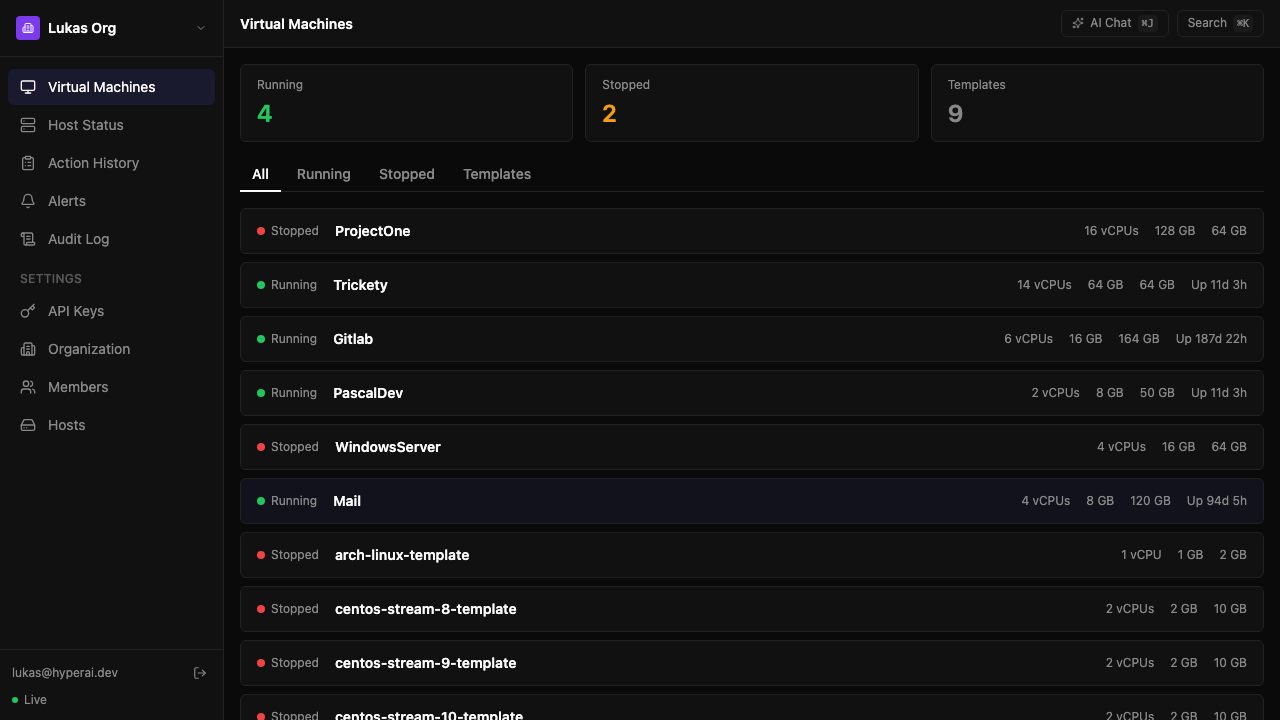
A modern dashboard for Proxmox that your whole team can use. Manage VMs with plain English, monitor every node in one view, and get alerted before things break.
No credit card required. No changes to your Proxmox setup.
No agents to install. No config files to edit.
Paste your Proxmox API URL and an API token. That's it.
Every VM syncs automatically. No agents on your nodes.
Your choice. Always with confirmation before anything destructive.
Built for teams running 5-50 VMs who want modern UX without enterprise complexity.
Type what you want in plain English. "Spin up an Ubuntu VM with 4 cores and 8GB RAM." AI maps it to the Proxmox API, shows what it'll do, waits for your OK.
CPU, RAM, network, and disk I/O per VM with 30-day history. Auto-downsampled charts that load fast. No Grafana stack to maintain.
Set threshold rules like "CPU > 90% for 5 minutes" and get email alerts automatically. Simple rules, not a monitoring PhD. Works out of the box.
Connect 2 or 20 Proxmox servers and see every VM in a single dashboard. No more tabbing between Proxmox UIs. The feature the Proxmox team never shipped.
Four roles — Owner, Admin, Operator, Viewer — with granular permission overrides. Onboard teammates in minutes. Every action tied to a user in the audit log.
Every action logged with who, what, when, and where. Filter, search, and export to CSV. Makes compliance audits boring — which is the goal.
Real screenshots. No mockups.
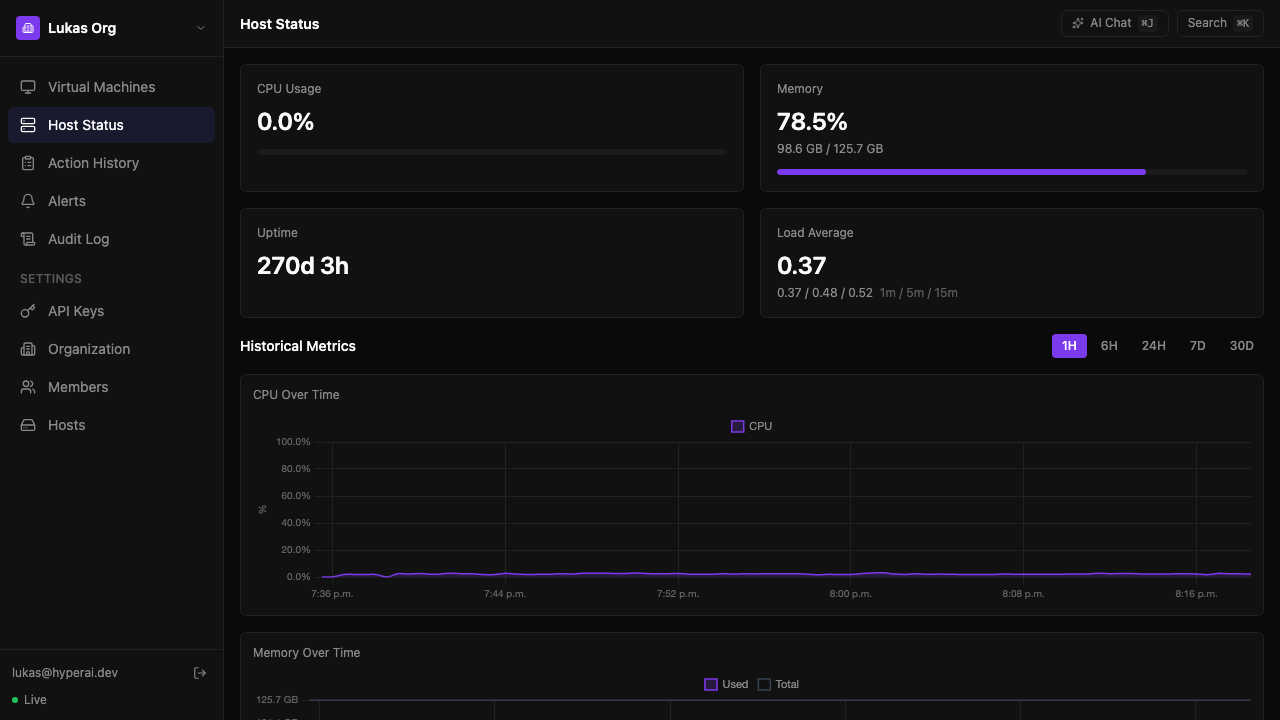
CPU, memory, uptime, and load average with historical charts. Auto-refreshes every 5 seconds.
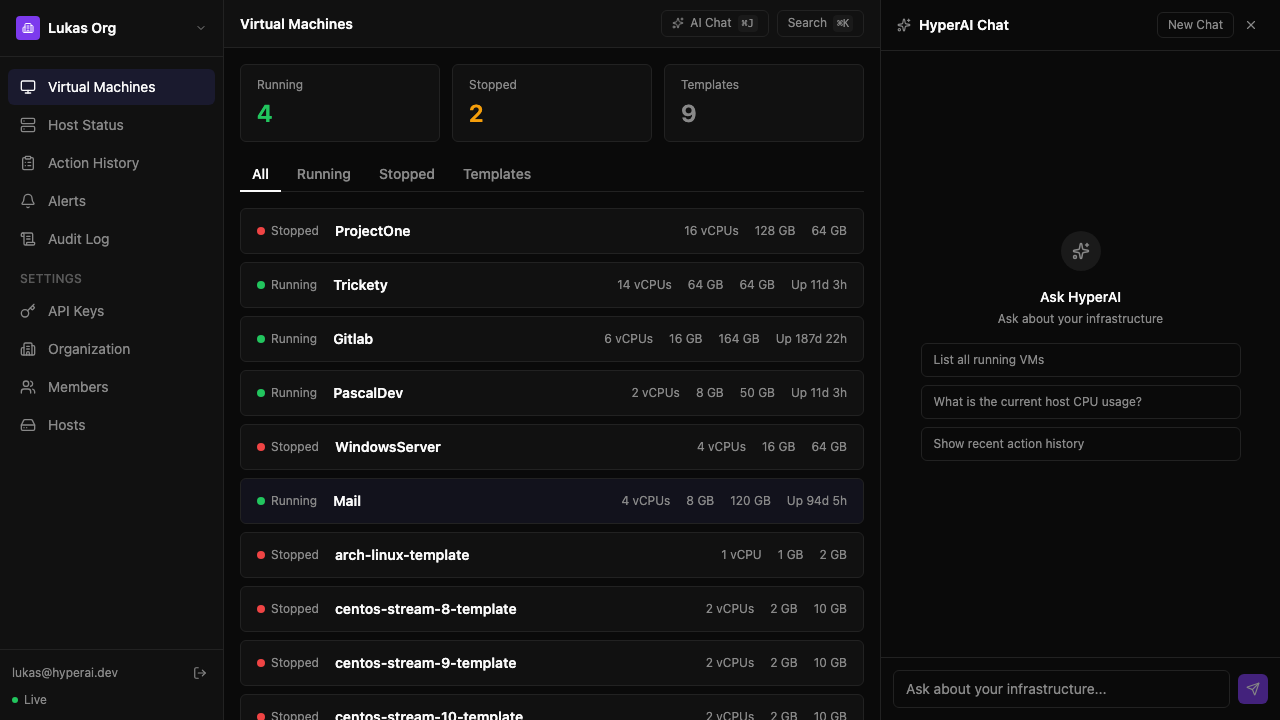
"List all running VMs" — AI queries your infrastructure and formats the response. Confirm actions before execution.
Self-hosted. Your data stays yours. Pay only for what you need.
Forever
Per node / month · Bring your own AI key
$24/node/month billed annually (2 months free)
Per node / month · We handle the AI
$39/node/month billed annually (2 months free)
Need 10+ nodes? Contact us for volume pricing.
14-day free trial on all Pro plans. No credit card for Free tier.
No. HyperAI is a management layer on top of Proxmox. Proxmox handles virtualization (networking, storage, KVM/QEMU). HyperAI provides the UI, AI features, metrics, and team management. Think of it as a better frontend.
Self-hosted. You run HyperAI on your own infrastructure, next to your Proxmox nodes. Your data never leaves your network. A managed cloud option is on the roadmap, but self-hosted will always be supported.
You type commands in plain English: "Start Gitlab", "Snapshot all production VMs", "Which VMs are using the most CPU right now?" HyperAI translates that into Proxmox API calls, shows you exactly what it plans to do, and waits for confirmation before anything destructive runs. Think of it as a smart CLI that speaks English.
Under 5 minutes. Deploy the container, point it at your Proxmox API URL, paste an API token, and you're live. No agents to install on Proxmox nodes, no config files to edit.
Each organization can connect multiple Proxmox nodes. VMs from all nodes appear in one unified dashboard. You add nodes via the settings page — just enter the Proxmox URL and an API token.
HyperAI connects to Proxmox via its official REST API using scoped API tokens — never root credentials. All communication is over HTTPS. When self-hosted, no data leaves your network. Every action requires explicit confirmation and is logged in an immutable audit trail.
Early adopters keep Pro features free through the beta. When we launch paid plans, beta users get locked-in pricing for 12 months. We'll give at least 30 days notice before any billing starts.
Get early access and manage all your nodes from one dashboard.